Tuesday, December 29, 2009

Blogger Templates: Catteleya

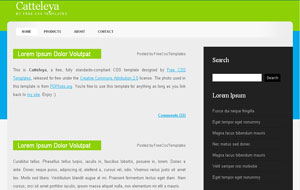
Catteleya Blogger Template

Just saw this really simple but elegant theme at one of my favorite sites Free CSS Templates. So, here it is for you guys in Blogger format.

Features: 2 columns, green, top menu, css, black, xml, blogspot, dark.


Monday, December 28, 2009

Blogspot How To: Create a Beautiful Header Using Patterns

Patterns are small images which can repeat in the background. They are small in size and create an awesome background. In this simple tutorial, I'll show you how you can add a pattern in your header background to make it more beautiful and eye-catching.

Steps


1- Find a free pattern of your choice from some quality site like DinPattern.

2- The patterns might come as a .zip file. Extract the .zip file through 7-Zip and then upload the pattern on Blogger (Need Help?) and get the address/URL of that image.

3- Go to Design and then Edit HTML tab. Find this code:

#header-wrapper {
width:660px;
margin:0 auto 10px;
border:1px solid $bordercolor;
}


4- Now, you can add the background pattern in the above code. To do that, change the above code with the following one:

#header-wrapper {
width:660px;
margin:0 auto 10px;
border:1px solid $bordercolor;
background: url(Paste the address of the pattern you uploaded in Step 2 here);
}


I've uploaded a sample pattern to demonstrate the result. The code for my example is:

#header-wrapper {
width:660px;
margin:0 auto 10px;
border:1px solid $bordercolor;
background: url(http://www.dinpattern.com/tiles/indian-summer.gif);
}


And the result is something like this:


Need My Help?


If you can't find the above code or have some other problem, feel free to leave me a comment.

Tuesday, November 10, 2009

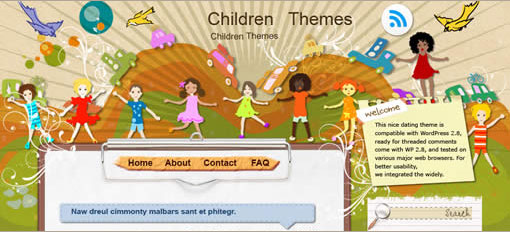
Blogger Templates: Little United Nations

Little United Nations Blogger Template

We are from all over the world, Africa, America, Asia, Europe and Australia. We have different skin colors, black, white and yellow. I am Lucy, You are Lily, and he is Jim, but we are all the children of the Earth Mum. We are the little United Nations. Hand in hand, we are singing, we are dancing, for what? For our common dreams, to make this world a better place.


-------------------------
Preview
-------------------------

OR

----------------------------
Download
----------------------------


This beautiful theme is designed and coded for Wordpress by EZWpthemes and I've just finished converting to Blogger.

Sunday, November 8, 2009

Blogger Templates: Glassical

Glassical Blogger Template

Glassical was released as a free Wordpress theme by Smashing Magazine & I've converted it to Blogger. It is an ideal theme for personal blogs.

Features: 2 columns, white, rss, top menu, xml, blogspot, blue, smashing magazine, premium quality.


Tuesday, November 3, 2009

Blogspot Comments Tutorial: Easily Change or Customize "Post a Comment" Text

I'm referring to the "POST A COMMENT" text which allows or prompts (in case of Embedded Comment Form) readers to make a comment on an article. So, if this tiny piece of text is attractive then it'll surely grab the attention of visitors.

Find "POST A COMMENT" Text in HTML


Actually, Blogger uses different data tags to print out messages like this one. So, if you'll go to Layout then Edit HTML and search for "POST A COMMENT", you won't find anything. To find the Blogger data tag which represents "POST A COMMENT", check Expand Widget Templates and find the following line of code:

<h4 id='comment-post-message'><data:postCommentMsg/></h4>

If you can't find the above code then please contact me by writing a comment otherwise continue with the tutorial.

Customize the Code


Now we know our target so we can use only a single CSS definition to customize it and fortunately that definition is already in our code. Go to Edit HTML tab and find the following piece of code:

#comments h4 {
margin:1em 0;
font-weight: bold;
line-height: 1.4em;
text-transform:uppercase;
letter-spacing:.2em;
color: $sidebarcolor;
}


This definition is defining the style of "POST A COMMENT" text. You can modify it by adding and changing the existing parameters. I'll explain the above definition now!

Margin


margin:1em 0; represents the margin (or distance) from top & bottom (currently 1em) and right & left (currently 0). So, you can control the spacing of "POST A COMMENT" text by simply modifying the margin values.

Font Weight


font-weight: bold; is causing our font to appear bold but you can change font-weight: bold; to font-weight: normal; if you don't wish to make it bold.

Line Height


line-height: 1.4em; is just defining the line height of our text but I'd suggest you to delete this property for our case.

Text Transform


text-transform:uppercase; is transforming the text to uppercase. You can change text-transform:uppercase; to text-transform:lowercase; if you want to make "POST A COMMENT" in lowercase or you can replace it with text-transform:none; if you don't want any modification in it and leave it as it is.

Letter Spacing


letter-spacing:.2em; defines the spacing between each alphabet. Increase or decrease the value .2em to see what happens.

Color


color: $sidebarcolor; is defining the color of our text. I'd recommend you to change color: $sidebarcolor; to color: #ffffff;. In this way, you can easily add the hex code of any color in your definition. Currently, I've added ffffff which is the hex code of white color. How to find the hex codes of different colors? You can simply use a free software like ColorPic.

Finally, I've removed a property to suit my taste (line-height) and also added another (font-size) to get better control over "POST A COMMENT" text. Now, the CSS code should look like this:

#comments h4 {
margin:1em 0;
font-weight: bold;
text-transform:uppercase;
letter-spacing:.2em;
color: #ffffff;
font-size:20px;
}

Before You Leave


I've tried to explain this tutorial in the simplest of manner but you can always ask questions or give suggestions for future writings. Your comments are very welcomed!
Saturday, October 31, 2009

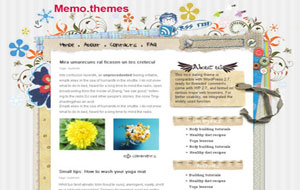
Blogger Templates: Craftwork

Craftwork Blogger Template

Craftwork is one of the most popular themes ever ported to Blogger. This cute blogspot theme is ideal for any personal or family blogs.

Features: 2 columns, white, search box, rss, top menu, xml, blogspot, popular, personal, scrapbook, cute.

Sunday, October 4, 2009

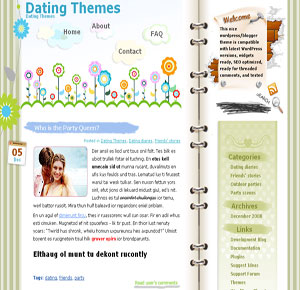
Blogger Templates: Florist

Florist Blogger Template


Florist is a beautiful & cute Blogger template with lots of flowers. The header has a beautiful background, search function, RSS icon and hanging menu.

Features: 2 columns, white, search box, rss, nature, top menu, welcome message, xml, blogspot, flowers, cute.